Online Sentence Counter
A fast, accurate, and free tool to count sentences instantly.
Total Sentences
0Total Words
0Total Characters
0Reading Time
0sSpeaking Time
0sAvg Sentence Length
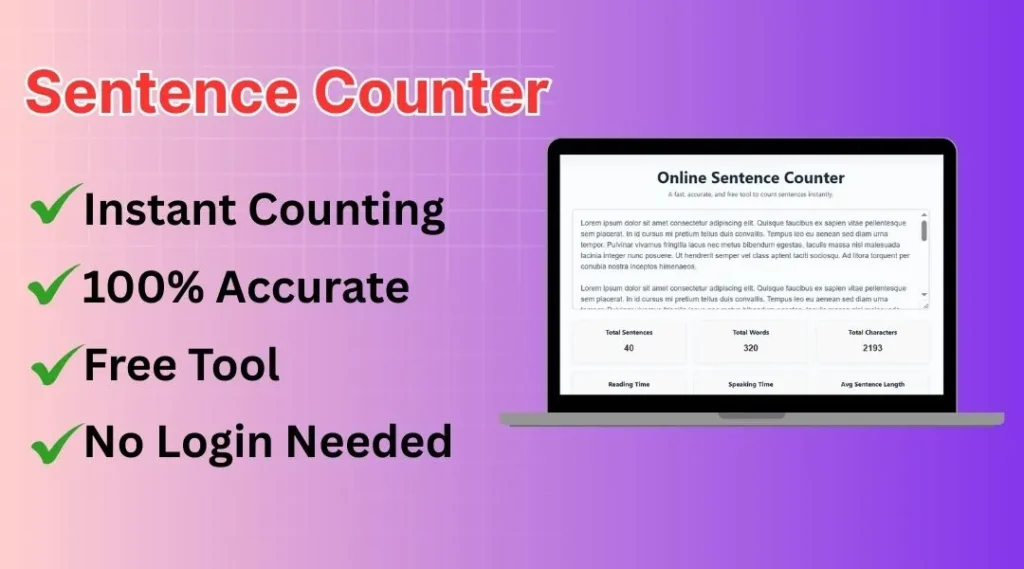
0 wordsIf you’ve ever needed a simple way to understand your writing better, an online sentence counter can help you more than you think. This kind of sentence counting tool lets you review your text content in seconds and see the exact number of sentences, number of words, and even characters. Instead of guessing, you can automatically let a smart sentence calculator do the work and figure out the structure of your text with ease. Whether you’re reviewing short stories, long articles, or even full books, it gives you the basic information you need in a clean and simple way.
One great thing about a sentence counter is how flexible it is. You can analyze content written in many formats, whether it’s a single string of text or long content split across numerous text paragraphs. Even if your writing includes multiple line breaks, the tool can handle it very easily. The text box might look small, but it’s built to process thousands of words and provide results quickly. For students, writers, and professionals, it’s an ideal helper that works like a compact but powerful calculator tool.
When you paste your text information into the counter, the system works behind the scenes to give you a super quick overview of your structure. No matter what you’re writing, the tool supports you by helping you analyze your formatting and language flow. Whether you’re drafting stories, academic papers, or website content, the sentence counter helps you stay organized, make improvements, and ensure your writing reads smoothly across many formats.
What is a Sentence Counter and Why It Matters
A sentence counter is a simple yet powerful online tool that helps you understand your writing better by measuring the number of sentences in any text you provide. Whether you type directly or paste long content, the tool instantly detects and begins to analyze your work, providing not just sentence totals but also word, character, and even paragraph counts. Many people don’t realize how valuable this kind of content analysis can be until they need to track structure, check clarity, or improve readability.
This tool is ideal for students preparing assignments, writers crafting articles, editors refining drafts, teachers evaluating content, and bloggers optimizing posts for SEO. By visualizing counts and timing, it helps you improve quality, consistency, and audience experience.
How to Count Sentences in a Paragraph?
- Paste or type your paragraph into the large text box.
- The tool automatically detects sentences based on punctuation like . ? !
- As soon as you type, the sentence count updates in real time.
- Make sure each sentence ends with proper punctuation for best accuracy.
- Abbreviations like Dr. or e.g. may look like sentence endings, so review your text if the count seems off.
- Check the results below the box for total sentences, words, characters, and average sentence length.
- Edit your paragraph anytime — the numbers will refresh instantly.
- Its user-friendly interface works perfectly on both desktop and mobile.
Key Features
Instant sentence counting
Get accurate results instantly as you type or paste your text.
Accurate word & character count
Track words, characters, and sentence length with reliable precision.
Reading time estimation
Know exactly how long your text will take to read based on average reading speed.
Grammar-safe processing
Your text stays safe — nothing is stored, saved, or changed.
Supports long text
Handles essays, articles, and large documents without slowing down.
Fully mobile-friendly
Designed to work smoothly on phones, tablets, and desktops.
Real-time updates
All counters refresh automatically while you edit your content.
100% free to use
No login, no ads disruption — use the tool anytime.
Who Can Benefit From This Online Sentence Counter Tool?

Students and Academic Writers
Students can use this sentence counter to refine essays, assignments, and reports. It helps them maintain clarity, avoid run-on sentences, and improve the overall quality of academic writing.
Bloggers, Content Writers, and Copywriters
Bloggers and copywriters can instantly check sentence flow, structure, and readability. It ensures articles and marketing copy stay clear, engaging, and easy for readers to follow.

Authors, Novelists, and Creative Writers
Authors can use this tool to maintain consistent pacing in stories and dialogue. It helps them analyze sentence rhythm and improve the overall tone of their creative writing.

Teachers, Educators, and Researchers
Teachers and researchers rely on clear sentence structure for grading, analyzing, and reviewing academic work. This tool makes evaluating writing consistency quick and accurate.

Professionals and Job Seekers
Job seekers and professionals can polish emails, cover letters, and reports by checking sentence clarity and length. It helps create more confident and professional communication.
Editors, Proofreaders, and Content Reviewers
Editors and proofreaders use sentence counters to detect long or complex lines that need revision. It supports faster editing and ensures clean, reader-friendly content.

Marketers and Social Media Managers
Marketers can improve ads, captions, and scripts by keeping sentences sharp and engaging. It helps craft messages that are concise and highly effective across all platforms.

ESL Learners and Language Improvers
English learners can practice forming clear, well-structured sentences. This tool helps them understand sentence boundaries and improve grammar naturally over time.
Best Practices for Accurate Sentence Counting
- Use proper punctuation (., !, ?) so the tool can detect sentences accurately.
- Avoid confusing abbreviations like “Dr.” or “etc.” without context — they may affect sentence count.
- For best results, paste clean text without unnecessary line breaks or symbols.
- Review the output manually if your text contains dialogue or complex formatting.
- Reading and speaking time are estimates — actual speed may vary from person to person.
- The tool does not store your text, but avoid pasting highly sensitive personal information.
FAQs
It detects sentence-ending punctuation like periods, question marks, and exclamation marks, then calculates clean and structured sentence boundaries.
Yes, it can easily process long content, including essays, articles, and research papers without slowing down.
No, your text is never stored or saved. Everything happens instantly in your browser.
Yes, every character you type instantly updates all the counters live.
It uses average reading and speaking speeds, giving you a reliable estimate for most types of content.
Yes, it’s perfect for essays, papers, and reports, helping students maintain clear and well-structured writing.
Yes, the tool is fully responsive and works smoothly on all screen sizes.
It supports all languages that use standard punctuation marks, including English and most global languages.
Yes, it shows average sentence length and helps you understand your writing flow.
Yes, it is 100% free, and you don’t need to create any account.